
 Workspace by Sunday Stack
Confidence in every team.
Bringing clarity, ownership, and confidence to every team. Workspace brings a church’s operational work into one place: who owns what, what’s due this week, what each meeting decided, and how each ministry is doing.
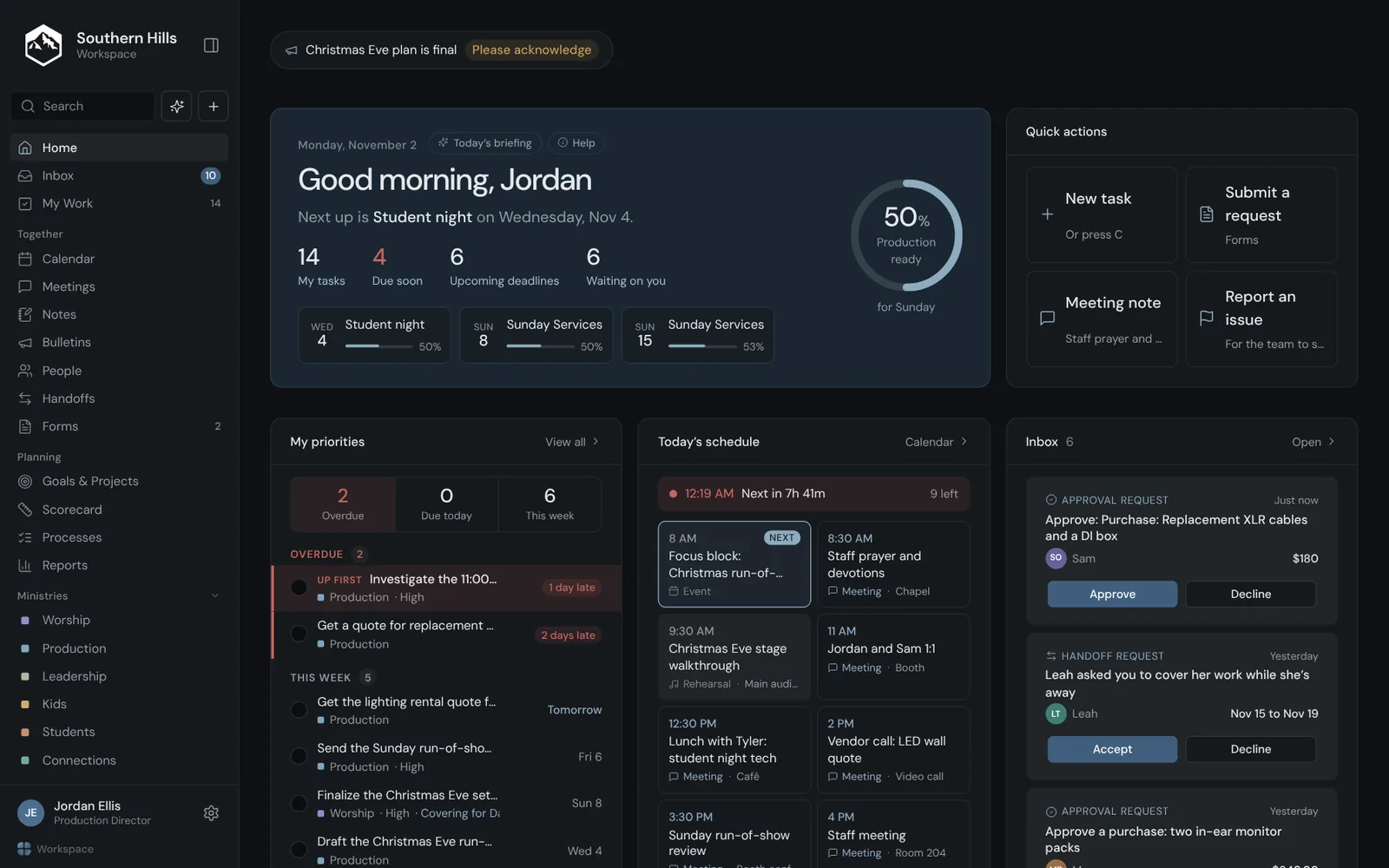
Why Workspace
The work behind ministry, in one place.
A church runs on hundreds of small responsibilities: setting up rooms, ordering supplies, preparing Sunday, following up after a meeting. Workspace gives each one an owner and a date, and keeps it where the whole team can see it.
Clear ownership
Every task, seat and measurable belongs to someone, so nothing depends on who remembers.
One weekly rhythm
Meetings, scorecards and checklists follow the same week, so the team stays on the same page.
Visibility without hovering
Leaders see how the work is going without chasing anyone for an update.
What’s inside
Built around how church staff actually work.
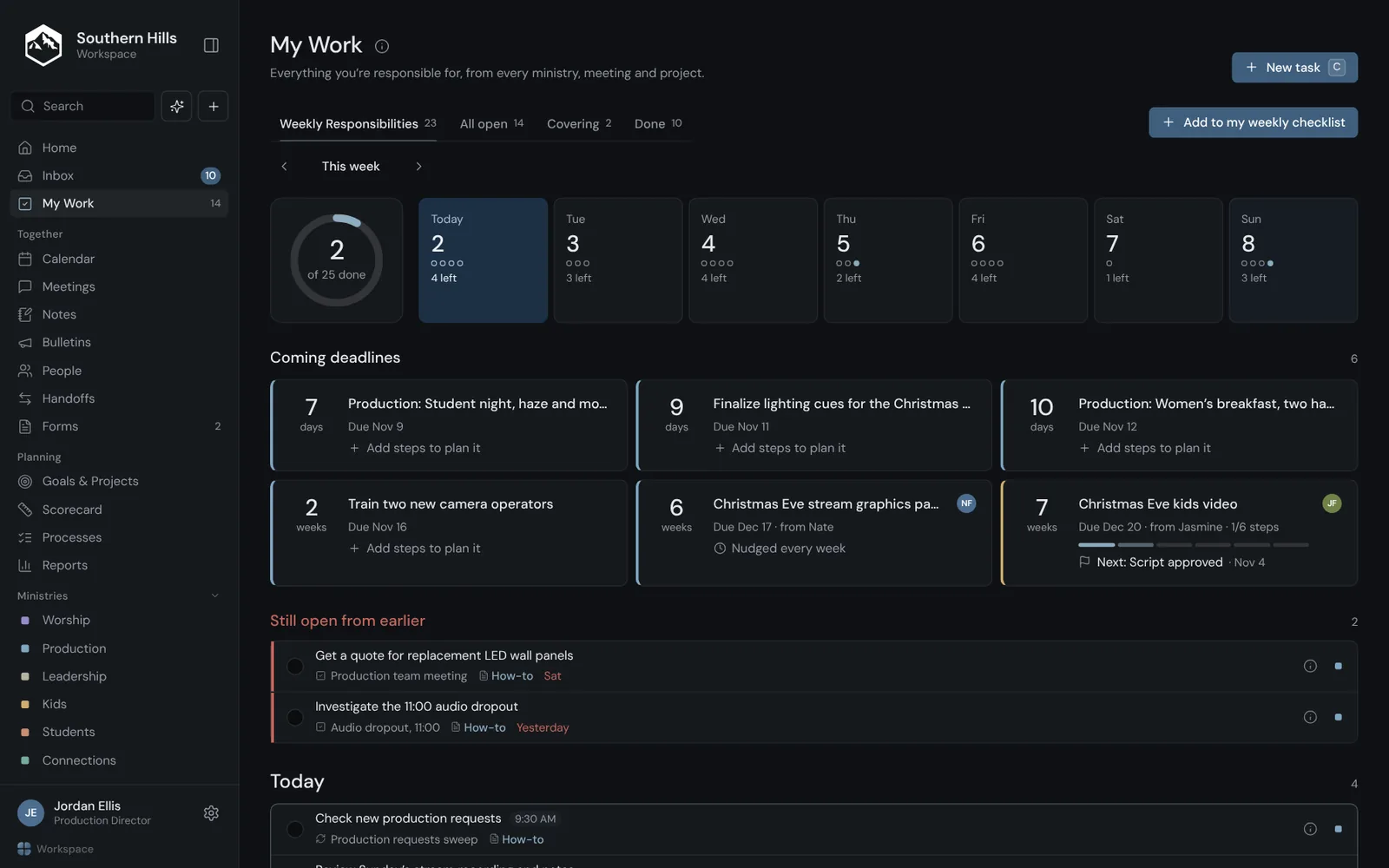
My Work
Everyone knows what’s theirs this week.
One list per person, from every ministry, meeting and project. It’s the same list whether the work came from a meeting, a checklist or a request.
- Weekly responsibilities, with directions and an SOP where they help
- Deadlines coming up, with the steps that lead to them
- “I’m stuck” asks for help without a long message
Meetings
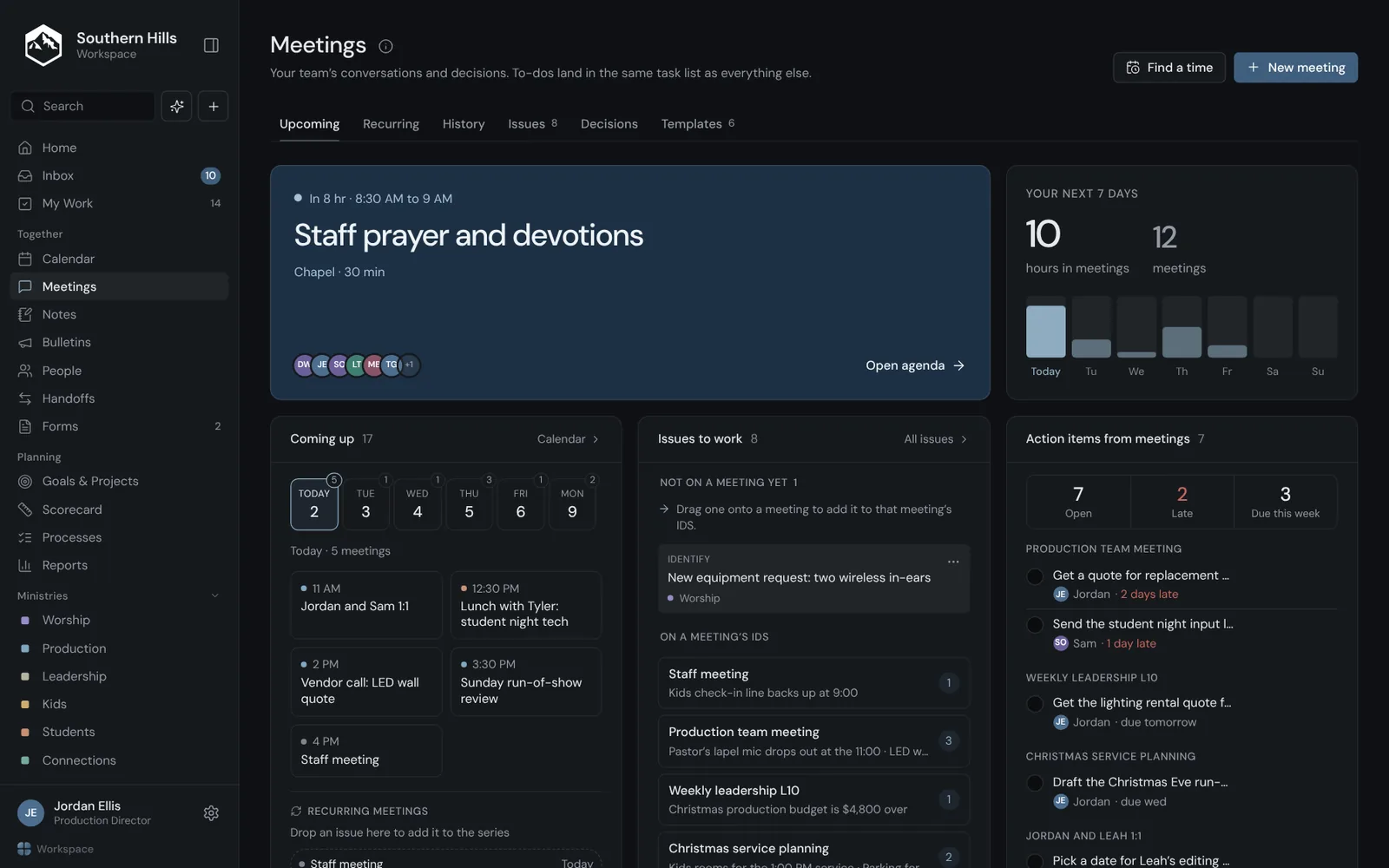
Meetings that end with owners and dates.
Run a recurring team meeting from one agenda. Issues get worked, decisions are written down, and to-dos land on the same lists as everything else.
- Agendas with prep questions people answer ahead of time
- Issues that carry from one meeting to the next until they’re solved
- Action items with an owner and a due date
Scorecard
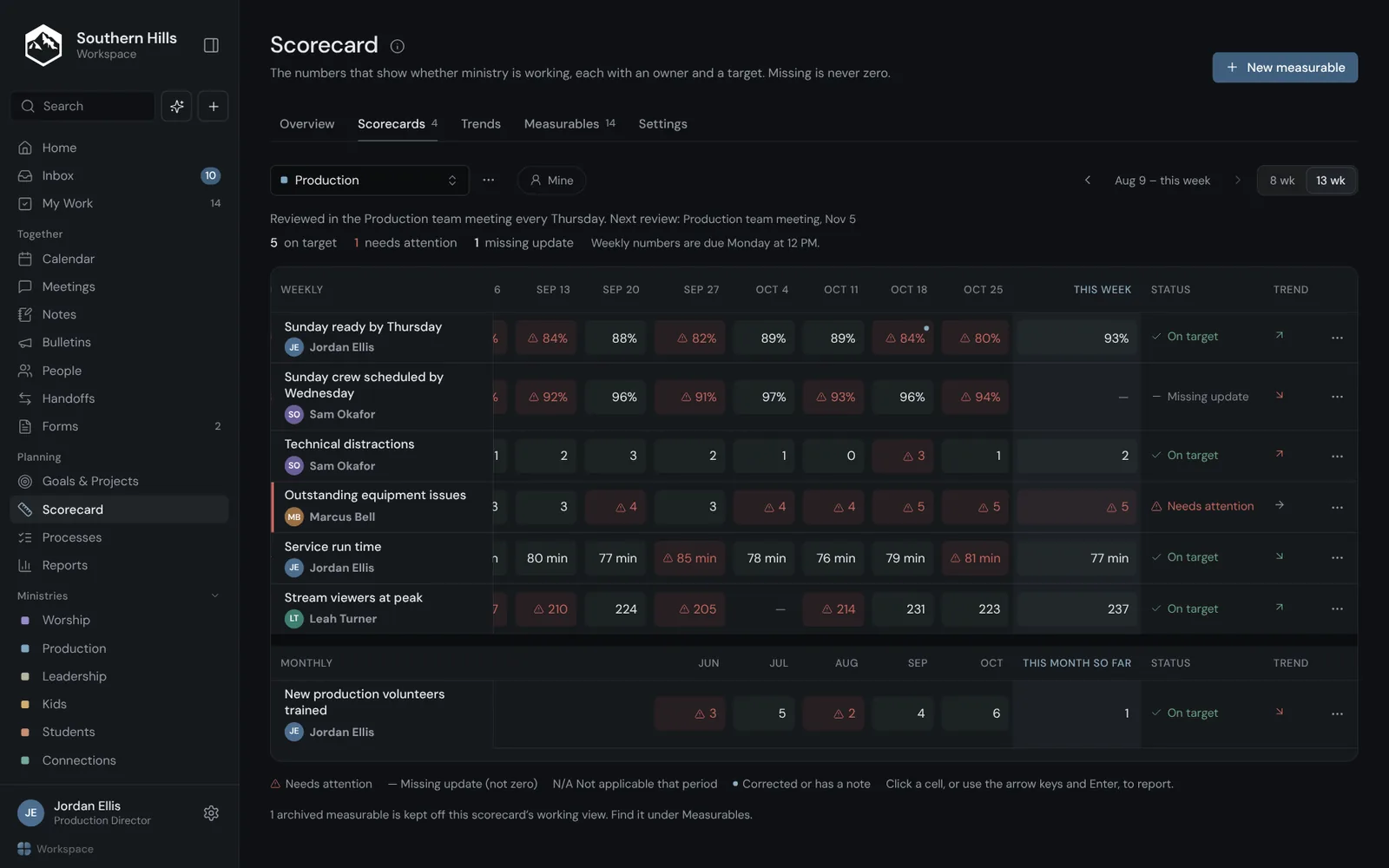
The numbers that show ministry is working.
Each measurable has an owner and a target, and the team reviews it in its weekly meeting. A missing number is shown as missing, never as zero.
- Weekly and monthly numbers side by side
- What needs attention, flagged before the meeting
- Trends over eight or thirteen weeks
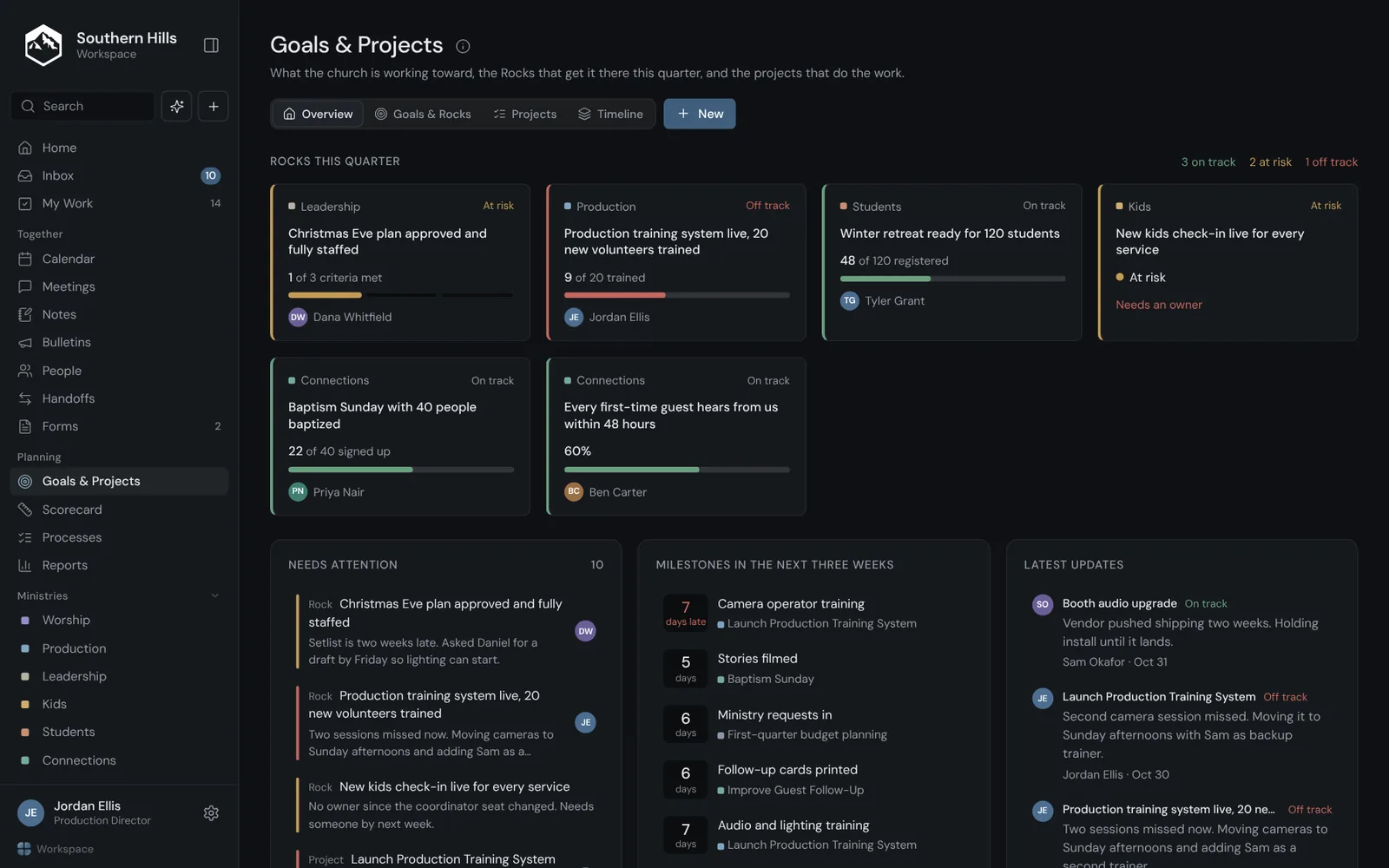
Goals and projects
Big goals, broken into the next step.
Set goals for a quarter, a year or any length you choose, and connect the projects that move them forward.
- Quarterly goals your leadership commits to
- Projects with milestones and the tasks under them
- Progress you can see without asking for an update
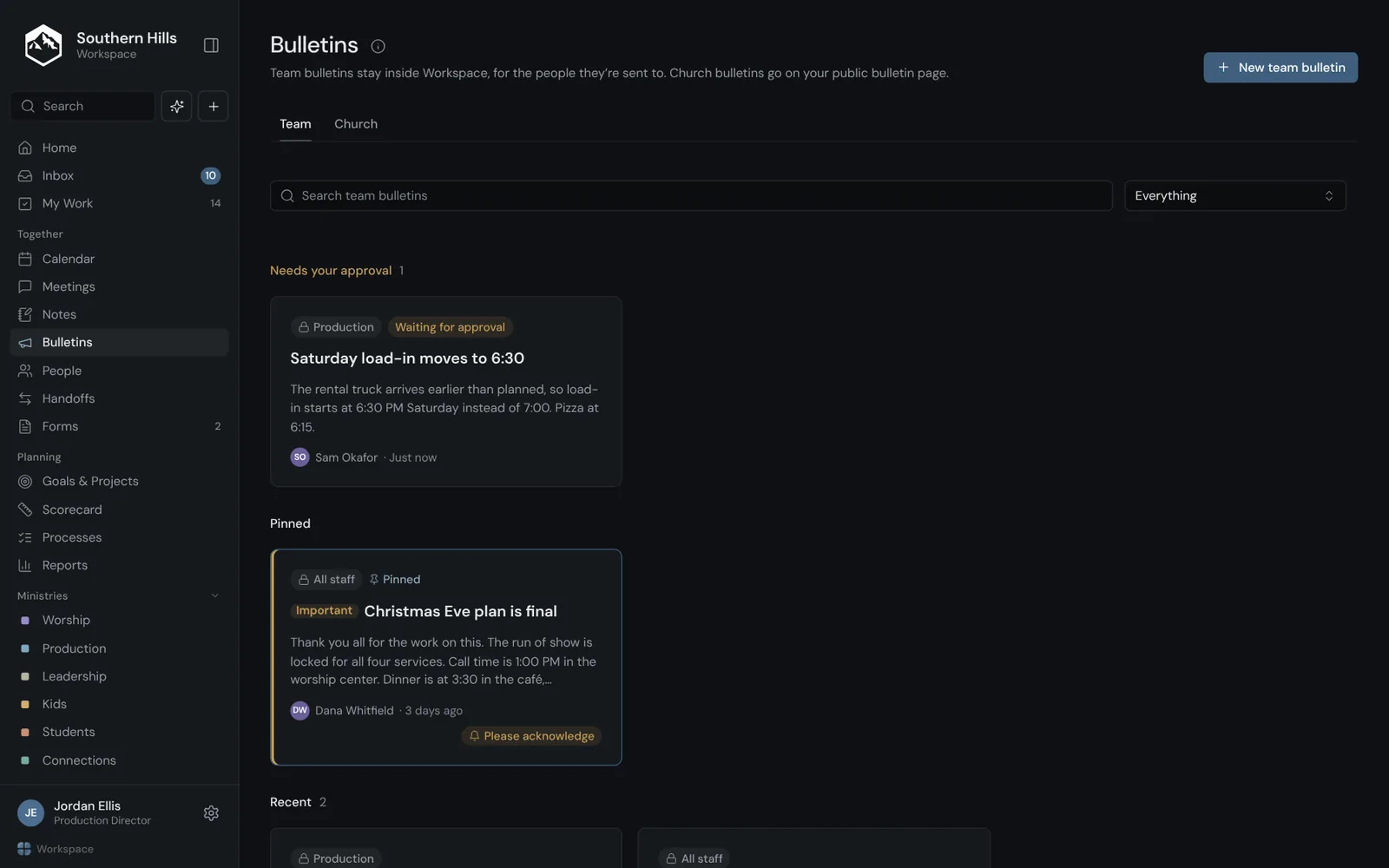
Bulletins
News that reaches the right people.
Post a team bulletin to all staff, a ministry or a few people, or publish a church bulletin to a public page. Approvals keep public posts in check.
- Team bulletins only the right people can open
- A public bulletin page for your church family
- Ask people to confirm they’ve read something important
Also in Workspace
The rest of the week, covered.
Everyone sets their hours, and Find a time only suggests meetings inside them. Subscribe from Google, Apple or Outlook.
Going on vacation? Hand your work to someone for those dates. Ownership never changes; cover is a dated record.
Weekly lists and service workflows that start themselves, with directions and SOPs on every step.
Purchase requests, facility requests and more, routed to whoever approves them.
An accountability chart of seats, each with what it owns, who fills it and who it reports to.
How the work is going for the church, each ministry or a team. Rates only for groups, never ranking people.
Private by default, shared when you choose, and a line can become a real task.
Admins, leaders and staff each see what fits their role. Private items stay private, admins included.
A week in Workspace
From a Sunday problem to a Thursday fix.
A production team
- SundayThe pastor’s lapel mic cuts out in the 11:00. Someone reports it from their phone in a few seconds.
- MondayThe team’s scorecard numbers come in, and one is flagged for the meeting.
- ThursdayThe weekly meeting works both issues and decides what to do. Each fix gets an owner and a date.
- Next SundayThe fixes are done and checked off, and the next meeting can see it.
A staff member on vacation
- Before they leaveThey hand their work to a teammate for those dates, and the teammate accepts.
- While they’re awayThe teammate sees what they’re covering on their own list. Nothing changes owner.
- When they’re backThey get a summary of what happened while they were gone.
- Every week afterTheir recurring checklists pick up where they left off.
Workspace tracks the work, not the worker.
It never shows who’s online, how long someone spends in the app, or ranks people by what they finish. Rates like “on time” only appear for groups, and private items stay private, admins included.
Questions
Things people ask about Workspace.
Who is Workspace for?
Church staff: full-time and part-time, leaders and admins. Volunteers don’t use Workspace; volunteer training happens in Train.
Do we need Train to use Workspace?
No. Workspace and Train are separate apps. Use either one on its own, or both.
Who can see what?
Admins, leaders and staff each see what fits their role. Private items, personal lists and reasons for time off stay private, admins included.
Does it track how busy people are?
No. Workspace tracks the work, not the worker. It never shows who’s online, how long someone spends in the app, or ranks people by what they finish.
Does it work on a phone?
Yes. It runs in the browser on any phone, with a quick way to add a task or report an issue on the go.
Can I see my Workspace calendar in Google or Apple Calendar?
Yes. Each person has a private subscribe link that works with Google, Apple and Outlook calendars.
How do we get started?
If your church already uses Workspace, sign in with your work email. To bring it to your church, get in touch.
Give every team a clear picture of the week.
Sign in if your church already uses Workspace, or get in touch to bring it to yours.